From clips to work orders
Carbyn Web is for the end of the shift. You drop in the clips and photos from your glasses. Carbyn writes the shift report and the work requests. You check them and send them to your work order system. The screens on this page show eMaint.
Carbyn Web is in pilot
Accounts are set up by Carbyn, together with the connection to your work order system. There is no sign-up page.
1Add the day's clips and photos#
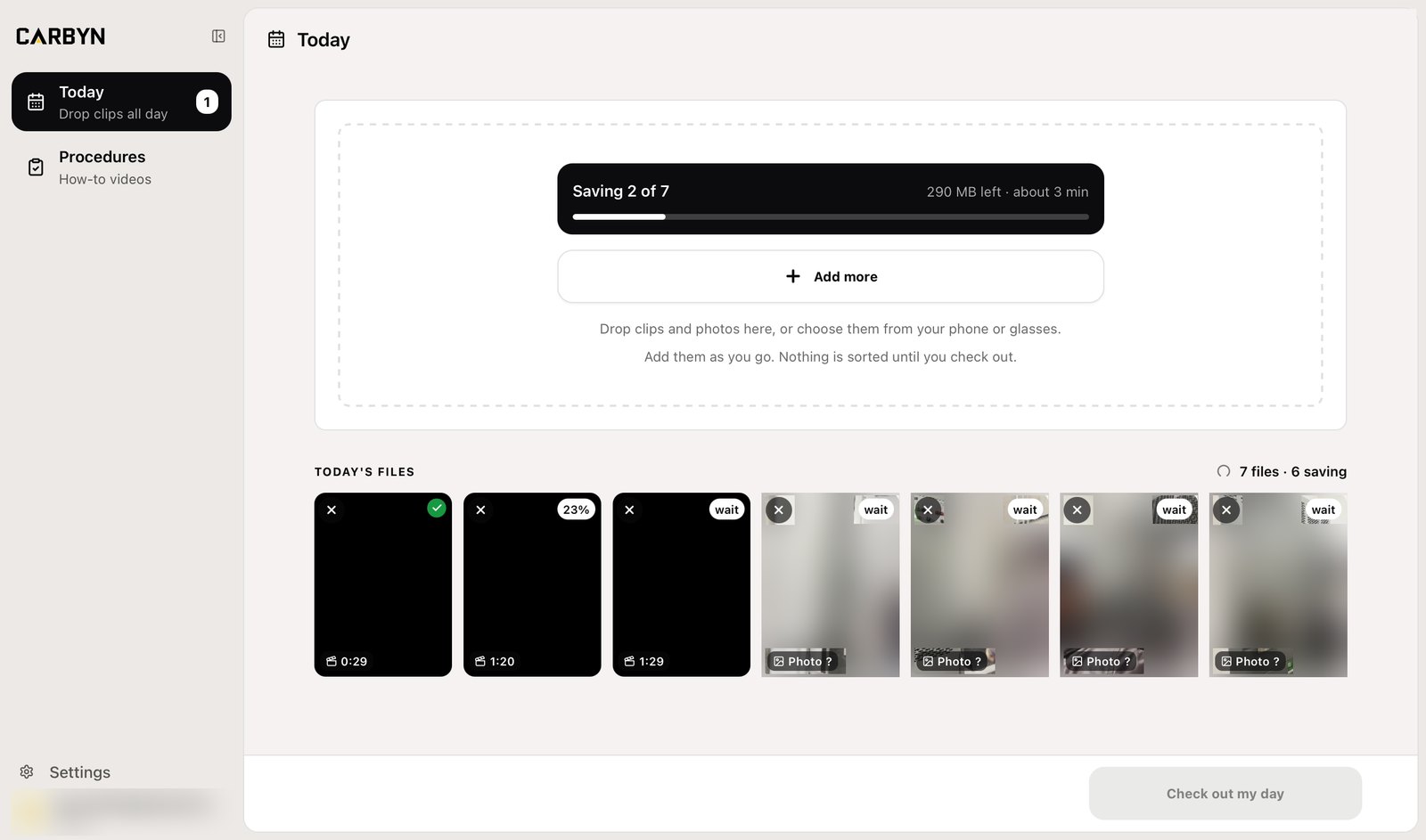
End of a walk-down. Three clips and four photos are on your glasses.
- You
- Sign in and open Today. Drop the files in, or choose them from your phone or glasses. Add more whenever you like.
- Carbyn
- It saves one file at a time and shows how much is left. Each tile shows the clip length. Nothing is sorted yet.
2Check out your day#
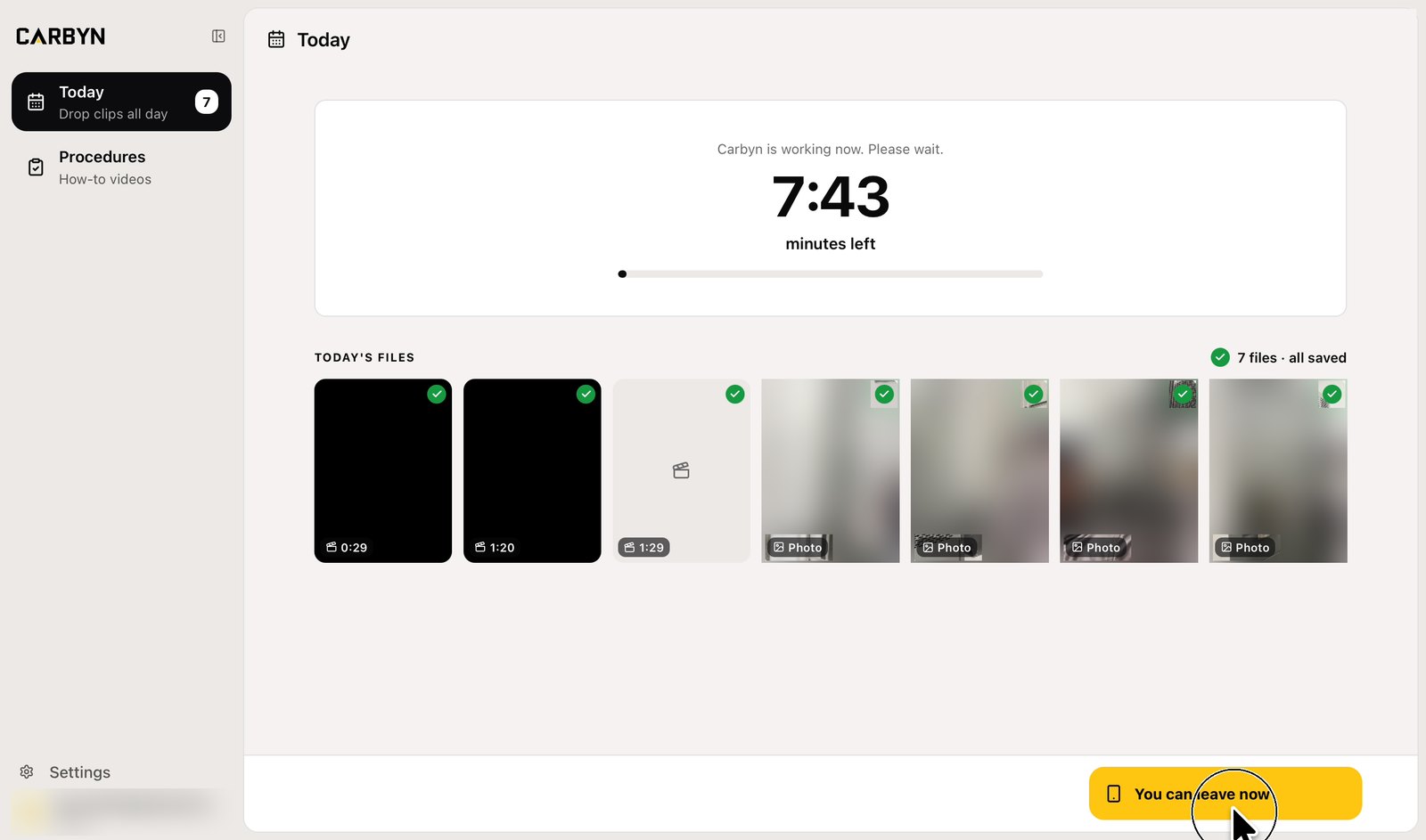
Every file shows a green check.
- You
- Press Check out my day. You can close the page and come back.
- Carbyn
- It watches the clips, listens to what you said, and sorts the day into jobs. A clock shows the minutes left.
3Read what it wrote#
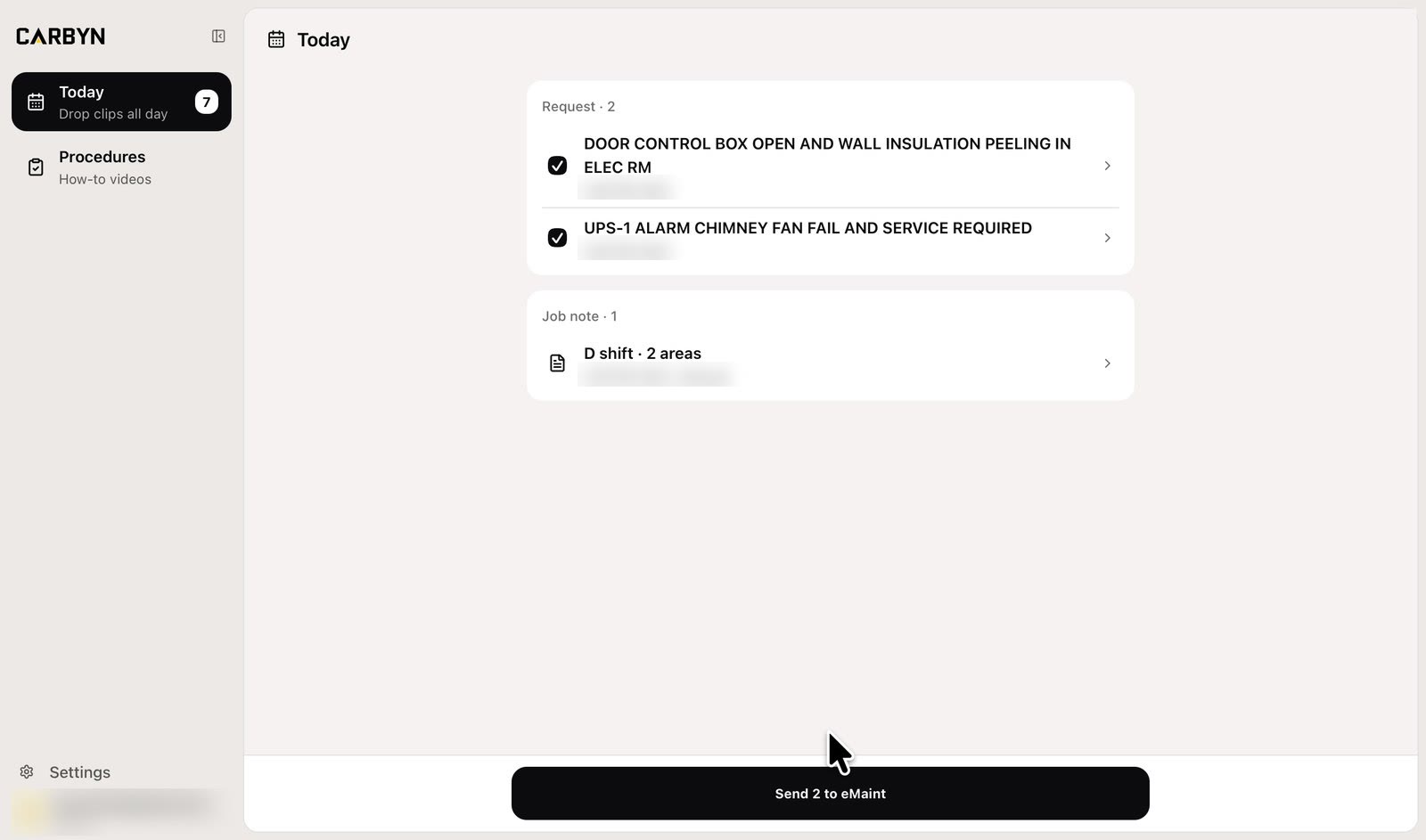
A few minutes later the list is ready.
- You
- Open each row. Untick a request you do not want to send.
- Carbyn
- One request for each problem you pointed out, and one job note for the shift with a line for the next crew.
4Fix what needs you#
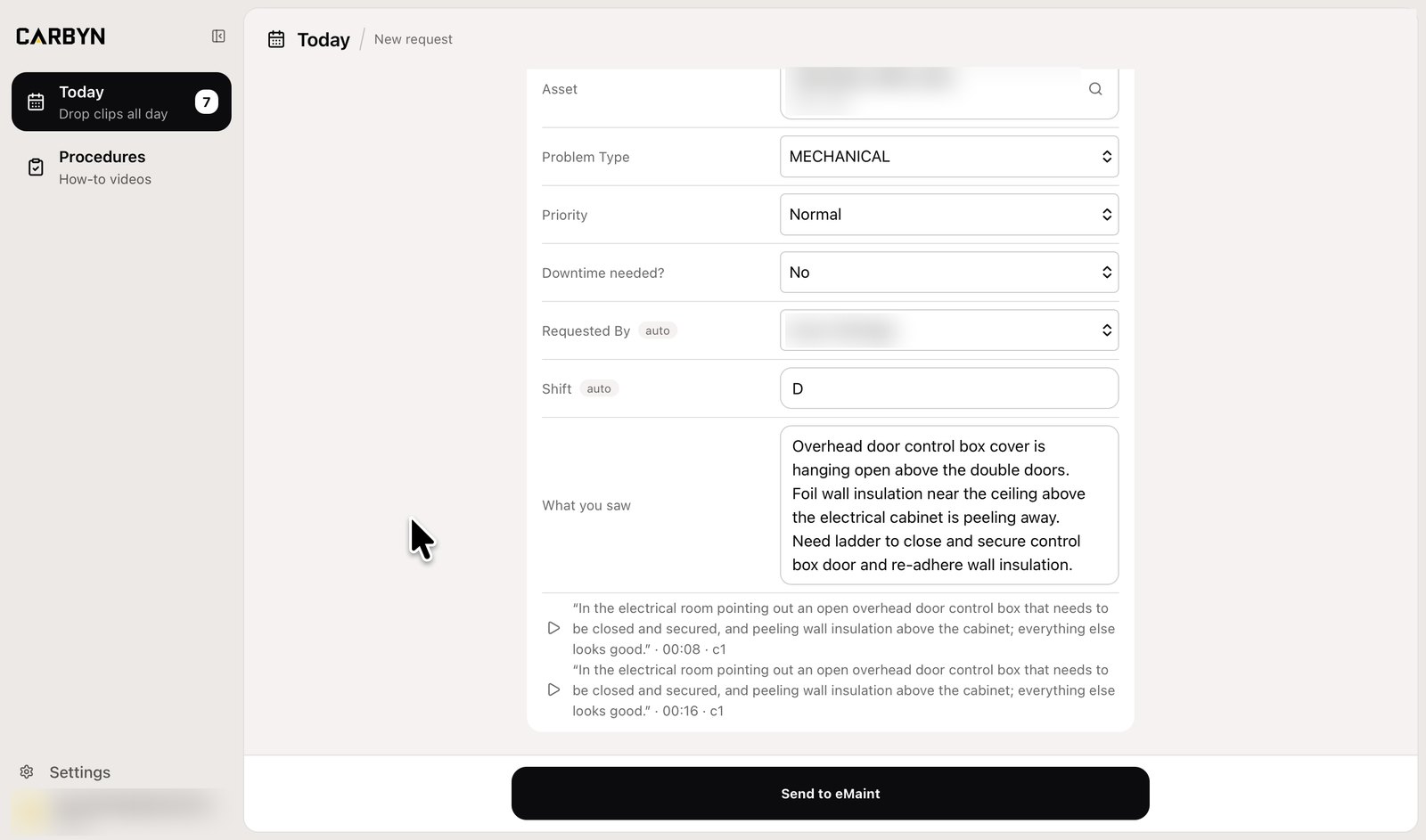
The first request has a red note: Carbyn could not tell which asset the room belongs to.
- You
- Pick the asset from the list. Change any other field by typing over it. Press a quote to play that moment of the clip.
- Carbyn
- Your name and shift are filled in from your account. A request with an empty required field cannot be sent, and the card says which field.
5Send the requests#
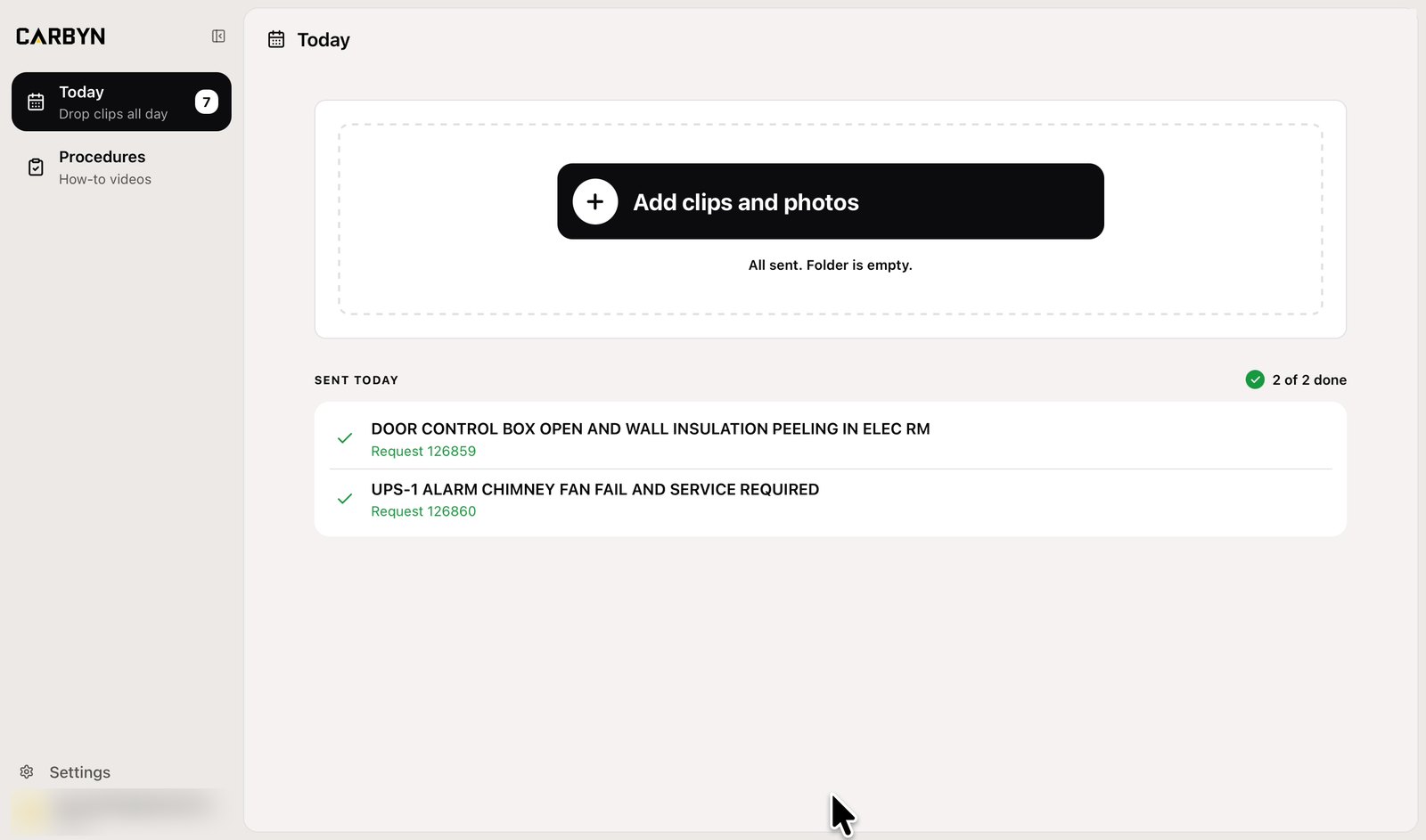
Both requests are ready.
- You
- Press Send to eMaint, read the check, and send.
- Carbyn
- It creates each request in your work order system under your name and shows the request number. Today is empty again for the next clips.
Good to know#
- Sorting takes a few minutes. Seven files took about eight.
- Nothing leaves Carbyn until you press send.
- Photos stay in Carbyn. The request in your work order system carries the text.
Need a hand?#
Email support@carbyn.ai with your plant name and a screenshot.